
- Bing Maps Satellite is an advanced aerial and satellite imagery visualization platform from Microsoft, with hybrid and 3D viewing options.
- It offers global coverage, frequent updates, and collaboration with projects like OpenStreetMap to enrich digital cartography.
- It offers APIs and developer resources, as well as solutions for urban planning, analytics, and virtual tourism.
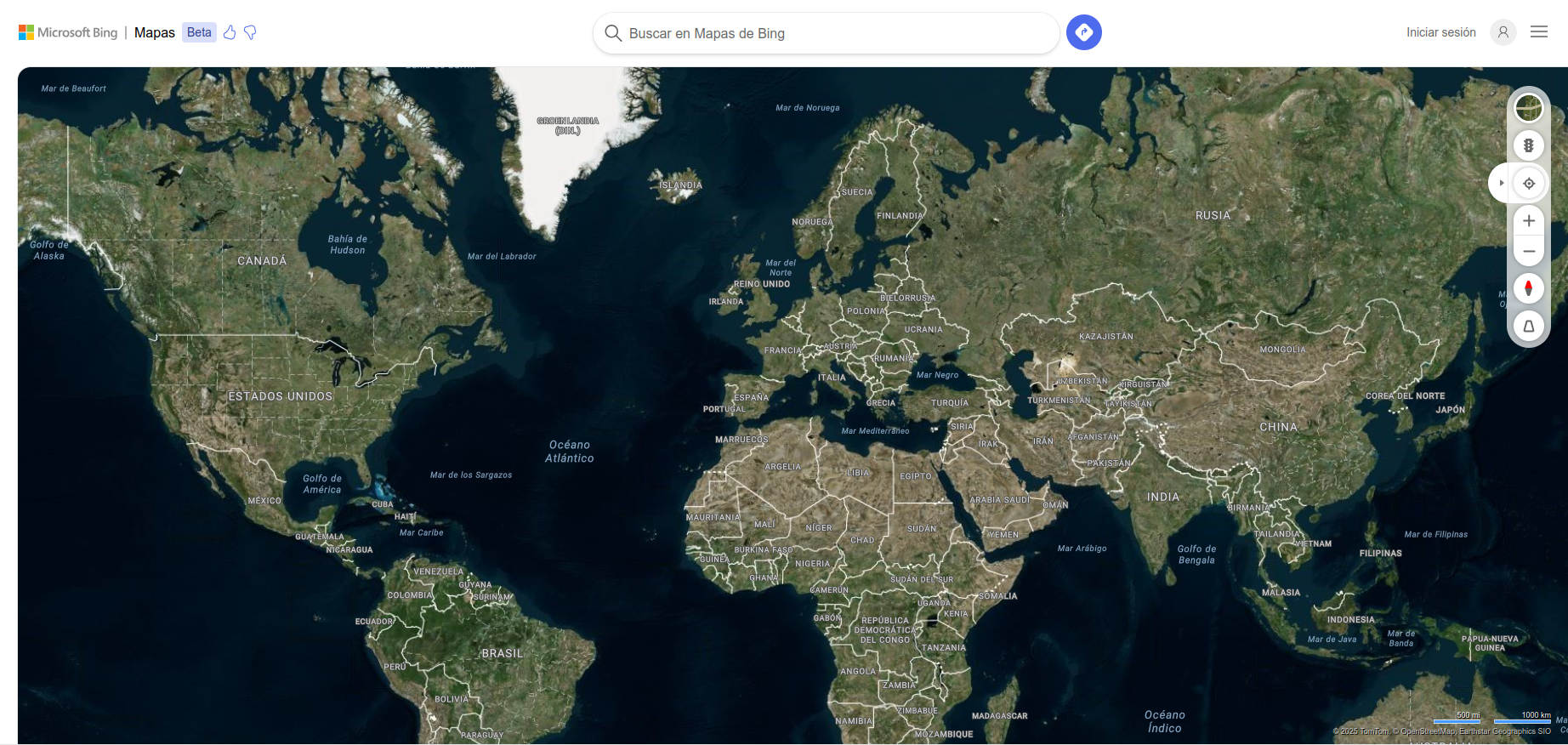
Bing Maps It has established itself as one of the leading platforms for digital cartography and satellite image visualization, competing head-to-head with industry giants like Google Maps. Many people are familiar with its more general-purpose version, but few fully explore the possibilities, levels of detail, and practical uses of its satellite mode. If you're looking for guidance on how to get the most out of Bing Maps Satellite, here's a comprehensive, complete, and up-to-date guide to help you navigate the world of modern geospatial representation.
In this article, you'll find everything from its origins and historical evolution to its most advanced technical features, including its collaboration agreements, licensing, key differences with other platforms, and practical tips to get the most out of it, whether you're a casual user or need access to more advanced resources as a developer, urban planner, or digital explorer. Everything is presented in a friendly and natural tone, with clear explanations and examples to help you understand it without any headaches. Let's get started!
What is Bing Maps Satellite?
Bing Maps Satellite is the aerial and satellite imagery display mode of the Microsoft Bing mapping platform. Accessible from its official website , offers an immersive experience based on the superposition of high-resolution satellite and aerial photo mosaics on the digital map, allowing you to observe the real appearance of cities, natural landscapes, or monuments from the sky.
This functionality is not limited to a mere top-down view: Bing Maps allows you to switch between road, hybrid, 3D, and bird's-eye views., and incorporates complementary data such as real-time traffic, points of interest, and personalized routes. In short, It's not just a map, but a comprehensive tool for exploring and navigating the planet from home or mobile..
History and evolution of Bing Maps
The history of Bing Maps It started in December 2005 under the name of Windows Live Local, presented as the public face of the platform Virtual Earth from Microsoft. Its launch marked Microsoft's first major foray into online mapping., although the original version was far from including all of today's features: it was limited to basic maps, a standard view, and the option to save notes on points of interest.
It quickly evolved, adopting capabilities such as 3d modeling (via Direct3D and later Silverlight), aerial or bird's-eye view, real-time routing, and increasingly deeper integration with other Microsoft technologies. On June 3, 2009, Microsoft officially renamed this product as Bing Maps, fully integrating it into its ecosystem and also relaunching the brand Bing Maps for Enterprise.
Main features of Bing Maps Satellite
- High-resolution satellite and aerial images: Available for virtually the entire planet, with special detail in major urban areas.
- Hybrid view: Allows you to overlay street names, points of interest and annotations on the satellite photo.
- Bird's Eye View: It offers oblique aerial images taken from four angles, with a bird's-eye view perspective, much more realistic than the typical vertical view of satellites.
- 3D mapsIn major cities, it is possible to explore urban environments in three dimensions, with buildings modeled and textured from real photos.
- Global coverage and frequent updatesMicrosoft updates its images frequently, typically monthly, incorporating tens of terabytes of data in each batch.
- Route planning and directions: You can calculate the optimal route to go by car, on foot or by public transport, as well as check the traffic status in real time thanks to technologies such as ClearFlow.
- Streetside View: Similar to Google Street View, it allows you to virtually walk through the streets at ground level in many cities.
- Multiplatform support: It works on the most popular browsers (Internet Explorer, Firefox, Chrome, Safari, and Opera), and has specific support for mobile devices and business applications.
Geographic coverage of satellite mode
Bing Maps Satellite Mode offers some of the most comprehensive and up-to-date coverage on the market, with a focus on urban areas in North America, Europe, and Asia. In many areas images of up to 4,5 pixels per meter, and in remote areas the resolution is somewhat lower but still sufficient for most uses.
Some of the countries and territories with the best satellite and aerial imagery data on Bing Maps are:
- U.S. and Canada
- United Kingdom, Germany, Italy and Spain
- Australia and New Zealand
- Japan and India
- Partial coverage in Brazil, Mexico, South Africa, South Korea, and many major cities in Asia and Latin America
Furthermore, In more than 100 cities in the US, Canada and Japan and more than 80 European cities, oblique images (Bird's Eye) can be seen. taken from four different angles, allowing for a much more detailed and natural view of buildings, signs, pedestrians and urban elements.
Uses and practical applications of Bing Maps Satellite
The combination of satellite images, 3D views, routes and analysis tools makes Bing Maps has countless applications: from trip planning to urban management, architectural design or land exploration..
- route planningWhether you're driving, walking, or using public transit, Bing Maps calculates and displays the best routes, with real-time traffic information.
- Urban analysis and municipal managementHigh-resolution data and 3D views are very useful for professionals working in city design and management.
- Search for businesses and servicesThanks to the integration with the Bing search engine, you can locate restaurants, shops, pharmacies, or any point of interest near your location.
- Virtual exploration and tourism: Ideal for “traveling” from your computer or mobile phone, discovering cities and landscapes that you may never visit in person.
- Collaborations with open projects: Microsoft collaborates with platforms such as OpenStreetMap, allowing mapping from its aerial images under controlled conditions.
Integration and collaboration with OpenStreetMap
Bing Maps is not just a closed platform: since 2010 it has maintained a collaboration agreement with OpenStreetMap (OSM), the large collaborative project of open and free mapping. Under this agreement, OSM contributors can use the Bing aerial imagery layer as a background to draw and enhance the free world map, always respecting the terms of the usage license.
Yes, the agreement is specific and limitedBing aerial imagery may only be legally used as a background layer in non-commercial OSM editing applications; use to extract street names, street views, or any other information is prohibited. Additionally, Microsoft requires the use of login credentials and usage tracking methods for all editors integrating its imagery.
This collaboration offers clear benefits for both parties: OSM is enriched with better cartographic databases to update its maps, and Microsoft obtains feedback from specialized local communities.. StreetSide imagery has also been permitted to be used to verify on-site reconnaissance, but never to extract copyrightable information.
Bing Maps Display Types
Bing Maps Satellite offers several display modes tailored to different needs:
- Satellite View: Displays pure aerial and satellite images, without annotations.
- Hybrid view: Combines real-life imagery with street, business, or point-of-interest labels.
- Bird's Eye View: It offers an oblique perspective, similar to that of flying low or from the roof of a building. Perfect for analyzing the urban environment.
- Streetside view: Allows you to move at ground level through the main streets of numerous cities, with photos taken by special vehicles.
- 3D viewSome cities can be explored in three dimensions by rotating, tilting, or panning around the digital model, enriched with real-life data.
Updates and image refresh rate
One of the strong points of Bing Maps Satellite is the update frequency of your imagesMicrosoft typically releases new batches of photos every month, with improvements in resolution and progressive coverage that add tens of terabytes per update.
Users can check the image capture date and resolution using specialized tools (some available through OSM forums and wikis) and find out whether the area of interest has recent imagery or needs to wait for future updates.
Legal limitations and restrictions on the use of Bing images
Although access to Bing Maps Satellite is free for individual users, Its use is subject to copyright and licensing restrictionsFor example, active caching of satellite imagery for offline use (except for authorized uses in OSM under specific conditions) and mass data mining are prohibited. Furthermore, Bird's Eye and StreetSide imagery may not be used for any purpose beyond simple field viewing and monitoring in OpenStreetMap editing contexts.
The user must be clear that the platform is for public use but not in the public domain., and there are clear limitations on commercial use, integration into other applications, or direct redistribution of the images. For business projects or technological developments, Microsoft offers specialized API services and commercial licenses adapted to different needs.
Supported platforms and browsers
Bing Maps has been committed to maximum compatibility since its inception.. It is accessible through any modern browser both in Windows as in Mac OS X and Linux (Internet Explorer, Firefox, Chrome, Safari and Opera) although, as usual, some browsers may have specific limitations in advanced features, for example in 3D viewing or the management of special plugins.
On mobile devices, Bing Maps adapts its interface for a smooth experience, allowing you to quickly view maps, zoom in, plot routes, or search for businesses without missing a beat. Integration with other Microsoft services and enterprise APIs makes it a powerful option for both home users looking for maps and developers requiring large-scale, custom solutions.
Advanced tools and features
Bing Maps Satellite is not just a pretty view of the world from space: It is a powerful platform for analysis, route calculation and geospatial explorationThese are some of its most notable features:
- Multimodal route planner: Allows you to choose between journeys by car, on foot, by bicycle or using public transport.
- Traffic information in real time: Thanks to technology ClearFlow, drivers can receive updated information and alternatives to deal with traffic jams or roadblocks.
- Query and search for points of interestFrom metro stations and hospitals to restaurants and iconic monuments.
- Saving and sharing locations: Very useful for planning routes for several people or organizing excursions.
- Viewing and plotting custom annotations: You can draw routes, zones, or mark specific points on the map for complex planning or field work.
- Integration with video games and simulators: It is possible to navigate the 3D map using devices such as the Xbox 360 controller or specialized controllers for technical architecture.
Known issues and technical limitations
Despite its power, Bing Maps Satellite has certain technical limitations that must be taken into account.:
- Image misalignments: At some zoom levels or in high-relief regions (mountains, overpasses) there may be small misalignments between the map and the photo, due to the use of non-orthogonal angles or poor calibration.
- Censorship of sensitive areasDue to legal requirements, certain military or government areas appear blurred or pixelated, especially in countries such as Germany, the US, and France, to avoid security issues.
- Browser limitations: Some advanced modes (such as Bird's Eye or interactive 3D) require plugins or extensions that are not always compatible with all platforms.
- Restrictions on exporting images: Photos cannot be downloaded in bulk or used in external applications without complying with Microsoft API and licensing requirements.
Comparison with other satellite mapping platforms
While Google Maps is the great dominator of the sector, Bing Maps offers some competitive advantages:
- Oblique Images (Bird's Eye): Unique to Bing, they allow you to see urban environments from side angles, much more realistic than the classic top-down view.
- Frequent updateMicrosoft is devoting enormous resources to updating its satellite database, resulting in more recent imagery in certain areas.
- Collaboration with free projects: Its alliance with OpenStreetMap allows for the enrichment of open cartography, unlike Google.
- Focus on proprietary and licensed dataWhile other platforms rely on third-party vendors, Microsoft relies on its own technologies and exclusive agreements for geospatial data and aerial photography.
However, Bing Maps typically has poorer coverage in Streetside mode (equivalent to Street View). and, in certain rural or remote areas, the update may lag somewhat behind its competition.
Basic Tutorial: How to Use Bing Maps Satellite Step by Step
- Accede to Bing Maps from your usual browser.
- Select the view modeIn the top right corner, you'll find the options for "Map," "Satellite," "Hybrid," or "Bird's Eye." Click "Satellite" or "Hybrid" to switch between a pure aerial view or a view with overlay labels.
- Browse and explore: Use your mouse, trackpad, or fingers (if using a mobile device) to pan, zoom, or rotate the map as you like.
- Search for locations, businesses, or addresses: Enter an address, location, or business type in the search bar to quickly focus on your area of interest.
- Take advantage of layers and planning tools: Turn layers like traffic, public transit, or points of interest on or off as needed.
- Save your favorite placesIf you have a Microsoft account, you can save locations and routes to access them from any device.
Licenses, APIs, and developer tools
In addition to its general use by individual users, Bing Maps offers powerful tools and APIs for developers.
- Bing Maps API: Allows you to integrate maps, routes, and satellite visualizations into websites, mobile apps, and business systems. Free and paid options are available depending on usage volume.
- Specific SDKs: There are development kits for .NET, JavaScript, and REST, facilitating customization and advanced exploitation of geographic data.
- Access control and usage management: They are managed through credentials, session control, and tracking mechanisms, especially when it comes to public or third-party applications.
- Collaboration programsMicrosoft encourages the development of open source plugins, tools, and projects that extend the capabilities of Bing Maps, such as the Virtual Earth Toolkit or Simplovation Web.Maps.VE.
Other platforms and resources based on Bing Maps Satellite
Not everything ends on the official website: There are independent portals and projects that take advantage of Bing Maps' cartography and satellite images. to design thematic maps, compare views with other providers (Google, Yahoo), or develop geospatial analysis and visualization applications. Some examples include:
- Satellites.pro: Interactive map that allows you to view images from Bing (and other sources) for any location in the world.
- Gosur Map: Hybrid map centered on Spain, with the option to view satellite views and overlay additional information.
- Bing Maps Wiki on OSM: Source of legal and technical information on using Bing images as backgrounds for editing free maps.
- ArcGIS: Professional integration with ESRI’s geospatial analysis platform.
Bing Maps Satellite is positioned as one of the most versatile and reliable solutions for accessing digital cartography, aerial imagery, and geospatial data. Its ease of use, the quality of its images, the frequent data refresh and the possibility of integrating into collaborative or business projects making it an essential tool for both individual users and industry experts. Microsoft is strongly committed to innovation and collaboration, maintaining its commitment to offering an increasingly rich, accurate, and useful experience in the world of digital maps.

Experts in software, development, and applications for industry and home use. We love leveraging the full potential of any software, program, app, tool, and operating system on the market.